
Token Lens
Nov 17, 2025 • 3 min read
I didn’t want to build just another checking tool. I wanted something simple like a flashlight. Point it at your CSS and get clear answers: which design tokens are actually being used, where they appear, and where things have changed without anyone noticing.
That’s how Token Lens was born.
It’s a tool that looks through your CSS (and token files) to show you what’s really happening, what’s missing, and the small inconsistencies that creep in when designs become code.
Design systems are supposed to keep things consistent. But then real work happens. Someone adds a quick 12px value. The brand gets updated. A token gets a new name. Another token gets copied with “-1” added to it. This isn’t anyone’s fault, it just happens over time.
I needed a simple way to find tokens that aren’t being used, spot places where the code uses actual values instead of tokens, and see which token categories (colors, spacing, fonts) are actually being used.
I wanted insights, not another tool in the build process. Something I could run whenever I needed to check. You upload token JSON and CSS, map token types to appropriate CSS properties, and get a simple report. It tells you what’s used and what’s missing, points to places with hardcoded values, and hints at which components (via classes) seem to use which tokens.
Nothing fancy. Just honest readouts.
First prototype
I built the first protoype in Balsamiq to sketch out the user flow and interface. I always find it the easiest tool to quickly mock up ideas without getting bogged down in design details.
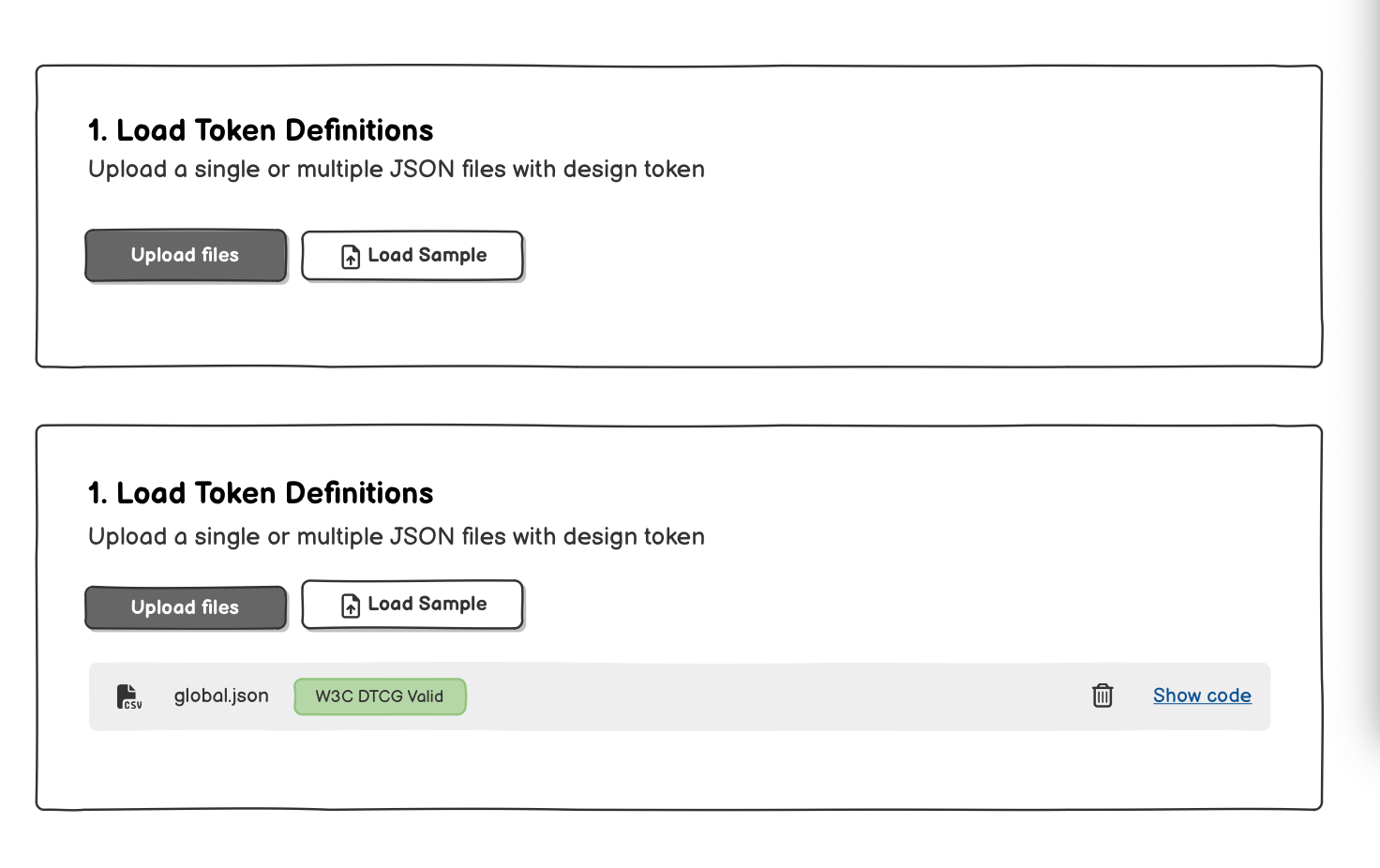
I then built a simple React prototype using Cursor. It’s basic but functional, doing three things well:
- Extracts values from CSS files, resolving custom properties as values;
- Compares extracted values with design tokens definitions (JSON)
- Highlights issues and improvements on design tokens coverage and adoption
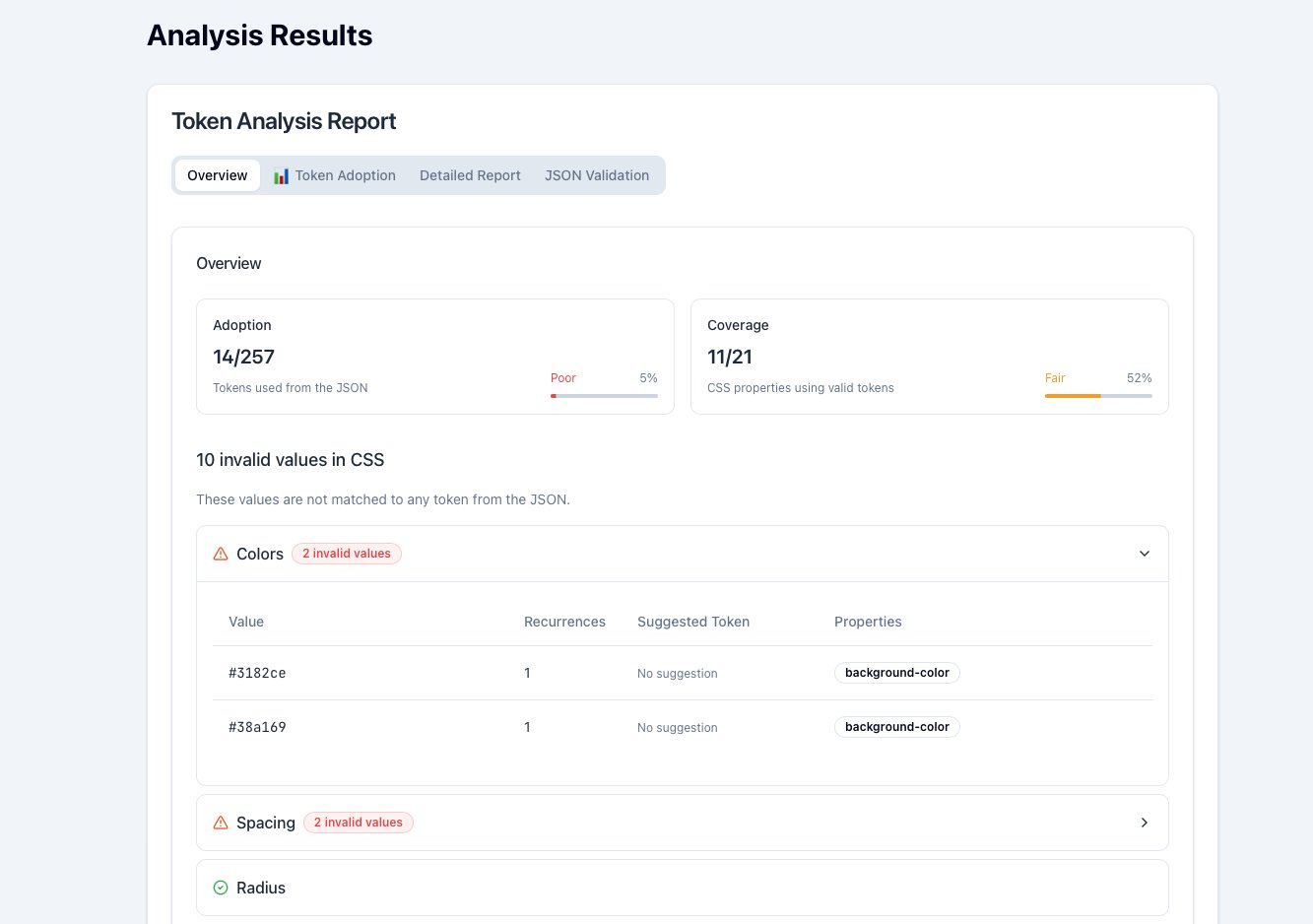
Then I added a few more features:
- Token usage by category: see which token categories (colors, spacing, fonts) are actually being used in the CSS.
- Hardcoded values detection: spots places where actual values are used instead of tokens, helping identify potential inconsistencies.
- Exportable reports: allows users to export the analysis results for sharing or further review.
- Multi-file support: enables users to upload multiple CSS and token files for comprehensive analysis across larger projects.
- User-friendly interface: designed to be intuitive and easy to navigate, ensuring users can quickly access the insights they need.
- Performance optimization: ensures the tool runs efficiently, even with larger codebases and token sets.
- Security and privacy: processes files locally in the browser to ensure user data remains private and secure.
As a designer, I was tempted to wrap-up it in Figma or a design tool. But I preferred to work directly on the real product to keep the focus on functionality and user experience.
Things I’m exploring next
I’m looking at churn, how often a token changes across releases. Stable tokens tend to signal trust, while volatile ones suggest uncertainty.
I’m also exploring fragmentation, near‑duplicate tokens with tiny value differences or name variants that quietly add entropy over time.
Finally, I’m experimenting with CI hooks and exports to make it trivial to run Lens on a pull request and attach a human‑readable diff.
What I deliberately didn’t build (yet)
I skipped real‑time IDE linting, design tool plugins, and heavy collaboration features. Those are great later.
Right now, the goal is to help one person run a check, see the truth, and start the right conversation.
Follow my progress
I’m sharing my journey in public on X, follow me there for updates and insights!
I'm working on a design tokens tracker named Token Lens.
— Francesco Improta (@zetareticoli) September 12, 2025
It scans and compares design tokens definitions in JSON files with CSS properties.
Hope to publish a beta version later this month pic.twitter.com/UygKsvJkyb
Receive an email whenever I publish a new article or post news about my work